
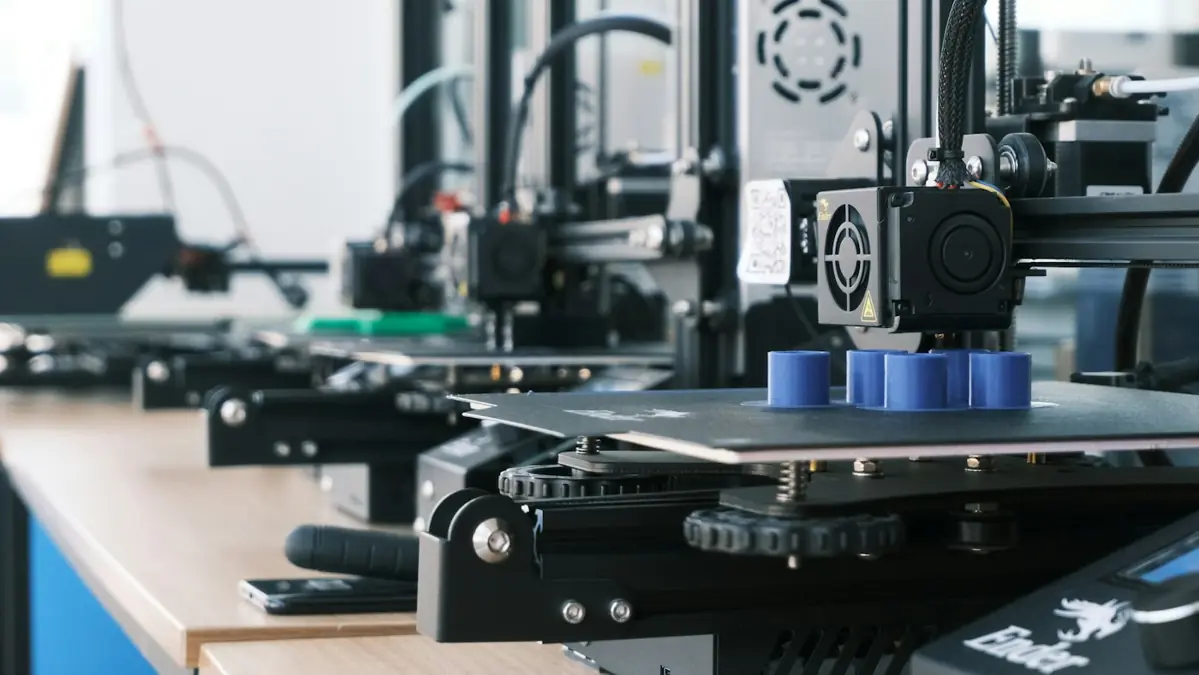
A real bottleneck or just wanting a new machine
Anyone who starts selling printed parts reaches this question quickly. The first printer is always busy, orders spill over into next week, and a sale on a new machine shows up in your feed. Before you buy, separate the signs of capacity from the signs of anxiety.
Signs that the machine has become a bottleneck:
- You turn down orders, or lengthen your delivery time, because the queue doesn't fit in the hours of the day.
- Your listings stay paused part of the week so you don't pile up sales you can't produce.
- The printer runs morning, afternoon and night, and the only downtime is for plate swaps and maintenance.
- You already know which parts move: you have a sales history, not just expectations.
Signs that the problem is something else:
- The machine sits idle for hours a day waiting for you to decide what to print.
- Lots of prints fail and have to be redone. Another machine just multiplies the failures.
- What holds up delivery is finishing, packing or the trip to the post office, not printing.
- You want the second one to "start selling more". Sales come from listings and products, not from idle capacity.
Before you buy: squeeze the first one
A printer has 24 hours a day, but almost nobody uses more than half of them. Before doubling the investment, see how much more you can get out of the machine already on your bench:
- Full plates. Print repeated parts on the same plate. Five units in a single print take less changeover time, less heat-up time and less of your time than five separate prints.
- Long prints at night. Leave the 8- or 10-hour prints for while you sleep and the short ones for the day, when you're nearby to swap the plate.
- Failures under control. Every lost part is machine time thrown away. A good first layer, a clean bed and dry filament win back hours every week.
- A tested profile. A slightly faster profile, validated on a few parts, can yield more parts per day without losing quality. Test it before using it on orders.
If, after all that, the queue is still longer than the day, then it's time to do the math.
The math: when the second one pays off
The right question isn't "how much does the printer cost", but "how many extra parts do I need to sell for it to come back to my pocket". For that, use the margin per part: the selling price minus channel fees, material, energy, failures, finishing and packaging. Don't subtract the machine-hour here, because the machine-hour is precisely the part of the price that pays for the printer.
The cost calculator gives you all of these numbers at once. For the example below, the values are rounded and only serve to show the reasoning. Printer prices are approximate US list prices; check current prices where you buy.
| Item | Example | Amount |
|---|---|---|
| Second printer | same model as the first, e.g. a Bambu Lab P1S | ≈ $700 |
| Extras to get started | spare plate, nozzles, extra filament | ≈ $100 |
| Investment | ≈ $800 | |
| Margin per part sold | 4 h part, after fees and costs | ≈ $10 |
| Extra parts to pay it off | $800 ÷ $10 | 80 parts |
Where the $10 per part comes from
A 4-hour, 100 g PLA part on a P1S, sold for $20 on Etsy, with the reference costs we use across the site:
- Etsy fees: 6.5% transaction ($1.30) + 3% + $0.25 payment processing ($0.85) + $0.20 listing = $2.35 (US reference values, October 2026; check each platform).
- Material: 100 g of PLA at $20/kg = $2.00.
- Energy: 130 W × 4 h = 0.52 kWh at $0.20/kWh ≈ $0.10.
- Failures: 10% of material and energy ≈ $0.21.
- Finishing: 15 minutes of your time at $20/h = $5.00.
- Packaging: $0.50.
Total costs of $10.16, leaving $9.84, or about $10. If your first machine is a Bambu Lab A1 (approximately $399), the investment drops to about $500 and the same margin pays it off in 50 parts.
Now what decides it is the pace. The 80 parts only count if they're sales you would not make with a single machine:
| Extra parts sold per week | Time to pay off |
|---|---|
| 10 per week | 8 weeks, about 2 months |
| 5 per week | 16 weeks, about 4 months |
| 2 per week | 40 weeks, about 9 months |
| 1 per week | 80 weeks, over a year and a half |
Notice: the new machine's capacity barely enters the calculation. A printer running 4-hour parts can handle far more than 10 parts a week. What sets the timeline is the demand you already have and are turning down today. If, in the scenario you can actually prove, the payback runs past a year, your money works harder in listings, photos and catalog than in a machine. In euros the reasoning is identical; just plug in your local prices.
How to measure the demand you turn down
For two or three weeks, write down every order you turned down, delayed or never received because you paused a listing. That number, not wishful thinking, is what goes into the table above.
Same as the first or different?
For production, the answer is almost always the same. With the same model:
- the same sliced file runs on both, without redoing the profile;
- spare nozzles, belts and plates fit both, and your parts inventory is cut in half;
- a problem solved on one is solved on the other.
A different model only makes sense when it covers a real gap: parts larger than the first one's bed, a material it doesn't print well, or multicolor that your customers ask for. If that's the case, run the math with the parts that only the new one can make.
The bottlenecks that show up with two
Doubling the machine doesn't double everything else. With two printers, the limits move:
| Bottleneck | What to do |
|---|---|
| Your finishing and packing time | Pack in batches, once a day, and favor parts without supports. |
| Filament | A minimum stock of the colors that move; a spool running out in the middle of the night is a lost plate. |
| Power | Two beds heating at the same time draw much more than one. Check that the outlet and the circuit can take it; when in doubt, call an electrician and never daisy-chain power strips. |
| Space and heat | A sturdy bench, ventilation and distance from curtains and windows. Drafts cause warping. |
| Failures | With two, a failure goes unnoticed longer. Check the first layer of every plate. |
How to organize the queue
With one machine, the queue fits in your head. With two, it has to be written down. A simple system does the job:
- A single order list, with part, color, quantity and ship-by date. Spreadsheet, whiteboard or app, it doesn't matter: what matters is having one place.
- Order by deadline, grouped by material and color. Filament changes are downtime. Group the black PETG orders, for example, on the same machine and in the same sequence.
- Sliced files with a standard name, like part_material_color_time. At 11 p.m. you need to find the right file without opening the slicer.
- The long plate at the end of the day, on both machines. The short ones are for when you're nearby.
- A failure log per machine. One line per failure: date, part, reason. In a month you'll know whether the problem is the machine, the filament or the file.
- Staggered maintenance. Never stop both on the same day. Clean and service one while the other produces.
A reliable file also shortens the queue. Every STL Prime model is printed and checked on the Data Frontier farm before it's published, and every plan includes a commercial license to sell the printed part. The file itself can't be passed on.
Checklist before you buy
Answer yes to all of these before you pay
- The first machine already runs most of the day, with full plates and long prints at night.
- Your failure rate is under control and logged.
- You've written down the demand you turned down over the last few weeks.
- The payback math with that demand closes within a timeline you accept.
- You have time to finish and pack twice as many parts, or a plan for it.
- The outlet, the space and the filament stock can handle a second machine.
A second printer pays for itself with orders, not with capacity.
Find your margin per part in the cost calculator and take your sales math further with the free e-book.
Ten free models when you create an account
All 10 are already in your account area, along with the e-book. The full catalog opens on November 20.