
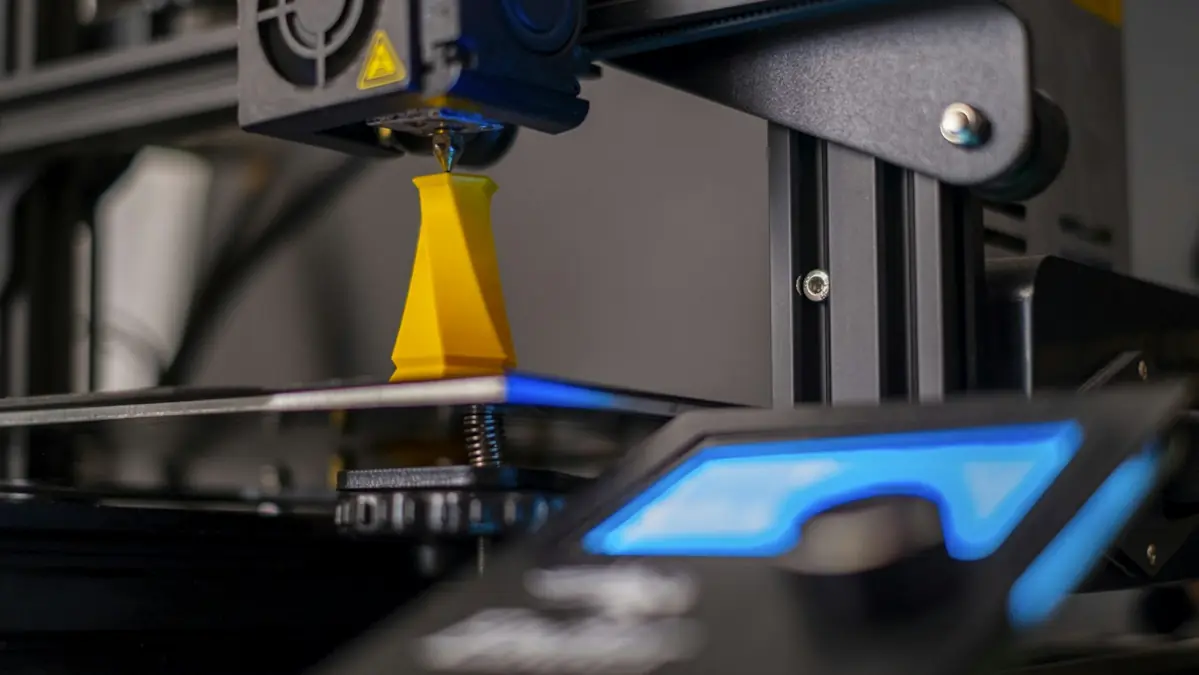
What a failure really costs
A failure that shows up early costs little. The expensive one is the failure that shows up at the end. An example with round numbers: an 8-hour, 100 g part that comes loose from the bed in the sixth hour has already used about 75 g of filament and 6 hours of machine time. With PLA at $20 per kilo and a machine-hour of $0.30, that's about $3.30 (≈ €3.30) thrown away — and the order still needs another 8 hours to go out.
That's why failure goes into the price, as a percentage on material, energy and machine-hour. The cost calculator has that field. The goal of this guide is to bring that percentage down.
1. First layer
Most failures are born in the first few minutes. If the first layer didn't come out well, the whole part is at risk.
- Nozzle too high: the lines come out round, separated from each other, and come loose easily.
- Nozzle too low: a thin, transparent layer, the nozzle drags, and the edge of the part "spreads" (elephant's foot).
- Dirty bed: fingerprint grease is enough to keep an area from sticking. Clean the bed the way the manufacturer recommends — many plates take dish soap and water; others, isopropyl alcohol — and handle it by the edges.
Prevention: adjust the nozzle height (Z offset) whenever you change the plate or the nozzle, use the bed temperature recommended for the material, make the first layer slower than the rest and use a brim on parts with a small base or that are tall and thin. And watch the first layer — always. Five minutes that save eight hours.
2. Warping
Plastic shrinks as it cools. When the upper part cools and pulls, the corners of the base lift off the bed. PLA suffers little; PETG, a bit more; ABS and ASA, a lot.
Prevention: keep the printer out of the path of fans, air conditioning and windows. For ABS and ASA, print with the machine enclosed and the part cooling fan low. Use a brim on parts with a large base or sharp corners. If the file allows it, prefer models with rounded corners at the base — they warp less. A corner that has lifted can also hit the nozzle and cause failure number 4.
3. Stringing
These are the wisps of plastic between separate parts of the print. They don't ruin the print, but they ruin the rating: a "hairy" part looks badly made in the photo and takes finishing work — your time, which also has a price.
Most common causes: wet filament (PETG and TPU absorb moisture easily), a temperature that's too high and poorly tuned retraction.
Prevention: keep spools sealed with silica gel, dry any filament that has been left out, print a temperature tower whenever you switch brands and tune retraction with a retraction test. Filament that pops or gives off steam at the nozzle is wet.
4. Layer shift
The part "slides" sideways partway up, like a stack of books that got pushed. It's a total failure: no amount of finishing will save it.
Most common causes: a loose belt or a pulley with a loose set screw, the nozzle hitting a section of the part that curled up, speed or acceleration beyond what the machine can handle, a cable or object blocking an axis, a printer on a wobbly table.
Prevention: check belt tension and pulley screws during maintenance, don't push speed on a production profile, set the printer on a solid base and keep the axis paths clear. If the shift always happens at the same height on the same model, the culprit is the part: look for the section that curls or the point where the nozzle collides.
5. Clogs and under-extrusion
Extrusion gets patchy, the walls end up with holes, the part comes out weak — or the nozzle stops completely and the printer keeps printing in thin air.
Most common causes: low-quality or dusty filament, a temperature too low for the material, leftovers of another material in the nozzle after a change, heat rising up the heatsink (heat creep, common with PLA in a very hot room or an enclosed machine) and a worn nozzle.
Prevention: treat the nozzle as a consumable and keep a spare. When switching materials, purge well at the temperature of the hotter one. For abrasive filament, such as fiber-filled or glow-in-the-dark, use a hardened nozzle. With PLA, keep the machine ventilated. If it clogs, a cold pull solves most cases without taking anything apart.
Quick table: symptom, cause, action
| Symptom | Likely cause | What to do |
|---|---|---|
| Part came loose from the bed | Dirty bed, nozzle too high | Clean the bed, adjust the Z offset |
| Corners lifted | Cold air, material shrinkage | Brim, enclosed printer, no drafts |
| Wisps between parts | Moisture, high temperature | Dry the filament, temperature tower |
| Part "slid" sideways | Belt, collision, speed | Tension, review the profile, find the collision |
| Patchy walls, nozzle stopped | Clog, worn nozzle | Cold pull, replace the nozzle, purge |
The routine of people who can't afford to lose a part
Knowing how to fix things is good. Not needing to fix them is better. In production, prevention becomes routine:
Checklist before every print
- Bed clean, with nothing left from the previous part
- Enough filament: compare what's left on the spool with the slicer's grams, with some margin
- Dry filament, especially PETG and TPU
- The right profile for the material and the machine
- First layer checked with your own eyes
- Lock in the profile that worked. An approved part becomes a saved, already-sliced project. Next time, reprint from it, without re-slicing and without "improving" things on the fly.
- The first print of a new model is a test, not an order. Print it, check dimensions and fit before you list it.
- Long prints start when you're around. If your printer or software has a camera with failure detection, use it; if not, schedule long prints to start when you can watch the first layer.
- Full plate, full risk. One part coming loose can drag its neighbors along. For orders with a tight deadline, split them into smaller plates.
- Log your failures. Date, machine, model, material and cause. Within a few weeks a pattern appears — and your failure percentage stops being a guess.
- Maintenance on a set schedule, not when something breaks: cleaning, belts, lubrication per the manual, nozzle replacement.
A tested file also takes one variable off the table. At STL Prime, every model is printed and checked on the Data Frontier farm before it's published. If the part fails, you know the place to look is the machine and the profile, not the geometry. Choosing the material is part of the same equation: see PLA, PETG or ABS: which filament to sell.
Frequently asked questions
Why won't the first layer stick?
A dirty bed, a nozzle set too high or the wrong bed temperature for the material. Clean it, adjust the Z offset and slow the first layer down.
How do I prevent warping?
No drafts, the bed at the right temperature, a brim on large bases and, for ABS and ASA, an enclosed printer.
What causes stringing?
Most of the time, wet filament or a high temperature, plus poorly tuned retraction.
How do I put failures into the price?
As a percentage on material, energy and machine-hour, in the calculator. Log your failures to get your own number.
A part that doesn't fail is the only one that delivers the margin you calculated.
Ten free models when you create an account
All 10 are already in your account area, with the e-book. The full catalog opens on November 20.